How to Rank a Blog Post Stuck on Page 2: Practical SEO Fixes
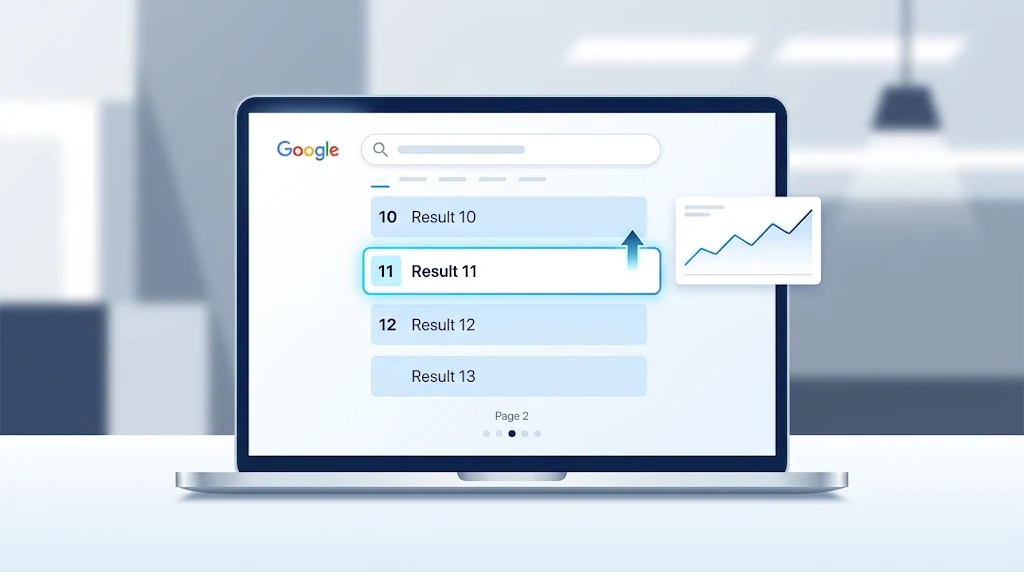
A blog post stuck on page 2 needs a diagnosis, not another round of random keyword additions. Start by checking search intent, identifying gaps against stronger results, improving internal links, and making the article genuinely more useful.
There is no guaranteed shortcut to page 1. However, a focused update gives you a clearer path forward than rewriting everything or publishing another article targeting the same keyword.
1. Check What Is Actually Ranking
Open Google Search Console, select your article in the Performance report, and review the queries generating impressions. Compare a recent period with the previous period, using enough data to avoid reacting to a few unusual days.
Check individual queries rather than relying only on the page’s overall average position. That average can combine different keywords, countries, devices, and search appearances.
- High impressions, few clicks: Review the title, search intent, and competing results.
- Declining clicks: Check whether rankings, demand, or the results page itself changed.
- Several URLs appearing for similar queries: Investigate whether the pages serve distinct purposes.
- Strong rankings for the wrong queries: Clarify the article’s focus and intended audience.
Record a baseline before editing. Include clicks, impressions, click-through rate, important query positions, and meaningful business outcomes such as enquiries or subscriptions.
2. Match the Searcher’s Real Goal
Search your main query and examine the leading organic results. Look beyond repeated keywords: what does the searcher want to accomplish, and what kind of page helps them do it?
Someone searching “best email marketing tools” probably wants comparisons. Someone searching “how to set up email automation” needs instructions. A general explanation of email marketing may not satisfy either query.
Compare the dominant format, audience level, scope, and promised outcome. If your beginner tutorial competes with advanced troubleshooting guides, adding more words will not fix the mismatch.
Adjust the article’s angle before polishing individual sentences. In some cases, targeting a more specific query is more realistic than forcing your article into the wrong results.
3. Find the Missing Value
Read several leading pages and compare them with yours. Note which important questions they answer, where they explain things clearly, and what your article leaves unresolved.
Do not copy their outlines mechanically. Your goal is to meet the reader’s needs while adding something worth choosing over existing results.
- A worked example with actual steps and outcomes.
- First-hand observations from testing a process or product.
- A useful template, checklist, or decision framework.
- Clear explanations of limitations and common mistakes.
- Original research with a transparent methodology.
For example, a budgeting article becomes more useful when it shows how a sample household handles irregular income, rather than repeating “track your expenses.” Label hypothetical examples clearly and never invent experience or results.
4. Answer Faster in the Introduction
Remove generic openings that delay the answer. Readers should quickly understand what you recommend, who the advice is for, and what they will learn.
For this topic, a useful introduction might say: “To improve a page 2 blog post, identify the queries it already appears for, match their intent, strengthen weak sections, and add relevant internal links.”
Follow that answer with necessary context, not a long history of SEO. Keep the opening focused without forcing the target phrase into every sentence.
5. Improve Titles and Descriptions
Your title should describe the page accurately and give the right reader a reason to click. Specificity usually helps more than exaggerated promises.
“Email Marketing Tips” offers little direction. “Email Marketing for Small Shops: A Practical Starter Guide” identifies an audience and a clear benefit, provided the article delivers both.
Write a concise meta description that explains the value of the page. Search engines may display different text, so the article itself also needs clear, relevant passages.
Treat title changes as a test, not a guaranteed ranking boost. Click-through rate varies with position, query, device, and competing search features; a higher rate alone does not prove the title caused better rankings.
6. Make the Article Easy to Navigate
Organize the post around the reader’s next questions. Use a clear main heading, descriptive section headings, short paragraphs, and lists where they improve comprehension.
Replace vague headings such as “More Information” with useful labels such as “How to Choose a Monthly Budget.” Add a table of contents when the article is long enough to benefit from one.
There is no magic word count or heading count. Add detail where readers need it, and remove repeated points, filler, and sections that distract from the main task.
7. Add Relevant Internal Links
Find existing pages on your website that naturally relate to the article. Add contextual links where a reader would genuinely benefit from opening it.
For a post about running shoes, suitable linking pages might cover beginner training plans, injury prevention, or choosing running gear. Use descriptive anchor text that explains the destination.
Also link from the article to helpful supporting resources. Avoid adding links to unrelated pages simply to reach a target number, and check that important links work on mobile.
If the article is difficult to reach through your site’s navigation and related content, improve that discovery path rather than leaving it isolated.
8. Review Overlapping Articles
Multiple pages covering related subjects are not automatically a problem. The concern is whether they duplicate the same purpose and leave readers without a clear best destination.
Review overlapping URLs in Search Console and compare their content, queries, traffic, and conversions. Decide whether each page deserves a distinct role.
- Keep both: Each page answers a different need.
- Differentiate: Refocus the titles and content around separate tasks.
- Consolidate: Combine substantially overlapping pages into a stronger resource.
If you retire a URL, use an appropriate permanent redirect to its relevant replacement and update internal links. Do not merge successful pages based solely on shared keywords.
9. Remove Technical Obstacles
Use URL Inspection to check whether Google can access and index the intended page. Investigate unexpected canonical selections, noindex directives, broken responses, or other indexing problems.
Then test the reading experience on a phone. Look for oversized images, intrusive overlays, shifting layouts, tiny text, and essential content that fails to load.
Compress images appropriately, remove unnecessary scripts, and address significant performance issues. These changes support usability, but excellent speed cannot compensate for an article that misses the searcher’s goal.
10. Update Facts and Demonstrate Credibility
Check product details, screenshots, instructions, statistics, and examples. Replace outdated information and explain important qualifications rather than presenting every recommendation as universally applicable.
Make authorship clear where relevant. If an article relies on professional expertise or testing, explain who contributed and what the work involved.
Use reliable supporting references when the topic requires evidence, especially for health, legal, or financial claims. Do not remove necessary attribution merely to make a page look cleaner.
Change the visible update date only when the article has meaningfully changed. A new date without new value is not a substitute for an actual refresh.
11. Promote Something Worth Sharing
Once the article offers a stronger resource, share it with people who can genuinely use it. Relevant newsletters, professional communities, partners, and industry contacts are sensible starting points.
Personalize outreach around a specific useful element, such as a template or original finding. Avoid mass messages asking strangers for a link without explaining the benefit to their audience.
Editorial links can help discovery and authority, but no fixed number guarantees page 1. Avoid buying ranking links or participating in schemes designed to manipulate search results.
12. Measure Before Updating Again
Record the date and scope of your changes. Where appropriate, request indexing through Search Console, understanding that a request does not guarantee immediate crawling or improved rankings.
Review performance over the following weeks rather than judging the update the next morning. Low-traffic pages and seasonal topics may require a longer observation period.
Compare query-level trends, clicks, and conversions alongside rankings. If impressions grow but clicks stay flat, inspect the queries and search appearance before blaming the headline.
If performance remains unchanged, revisit your original diagnosis. The obstacle may be intent, competition, limited differentiation, or a broader site issue—not a missing keyword.
A Focused Four-Week Plan
- Week one: Record your baseline, inspect queries, and review competing pages.
- Week two: Improve intent alignment, introductions, weak sections, and original value.
- Week three: Strengthen internal links, review overlap, and resolve technical obstacles.
- Week four: Promote the improved resource and begin monitoring its performance.
Prioritize changes that address a documented weakness. A page 2 ranking is a useful starting point for investigation, not proof that one small tweak will deliver page 1.